 Scale
ScaleHow a DTC Fashion Brand Increased Conversion Rate 127% (Real Case Study)
Real conversion optimization case study: How a $1.8M fashion brand went from 1.6% to 3.6% conversion through AI search, checkout optimization, and smart targeting. Complete breakdown with metrics.

Summarize with ChatGPT
Click to open ChatGPT with prompt ready - just press Enter!
Case Study: How We Increased This Fashion Brand's Conversion Rate by 127% in 4 Months
Industry: Women's Contemporary Fashion Annual Revenue (Before): $1.8M Annual Revenue (After): $3.2M Timeline: 4 months Conversion Rate Improvement: 1.6% → 3.6% (+127%)
The Brand
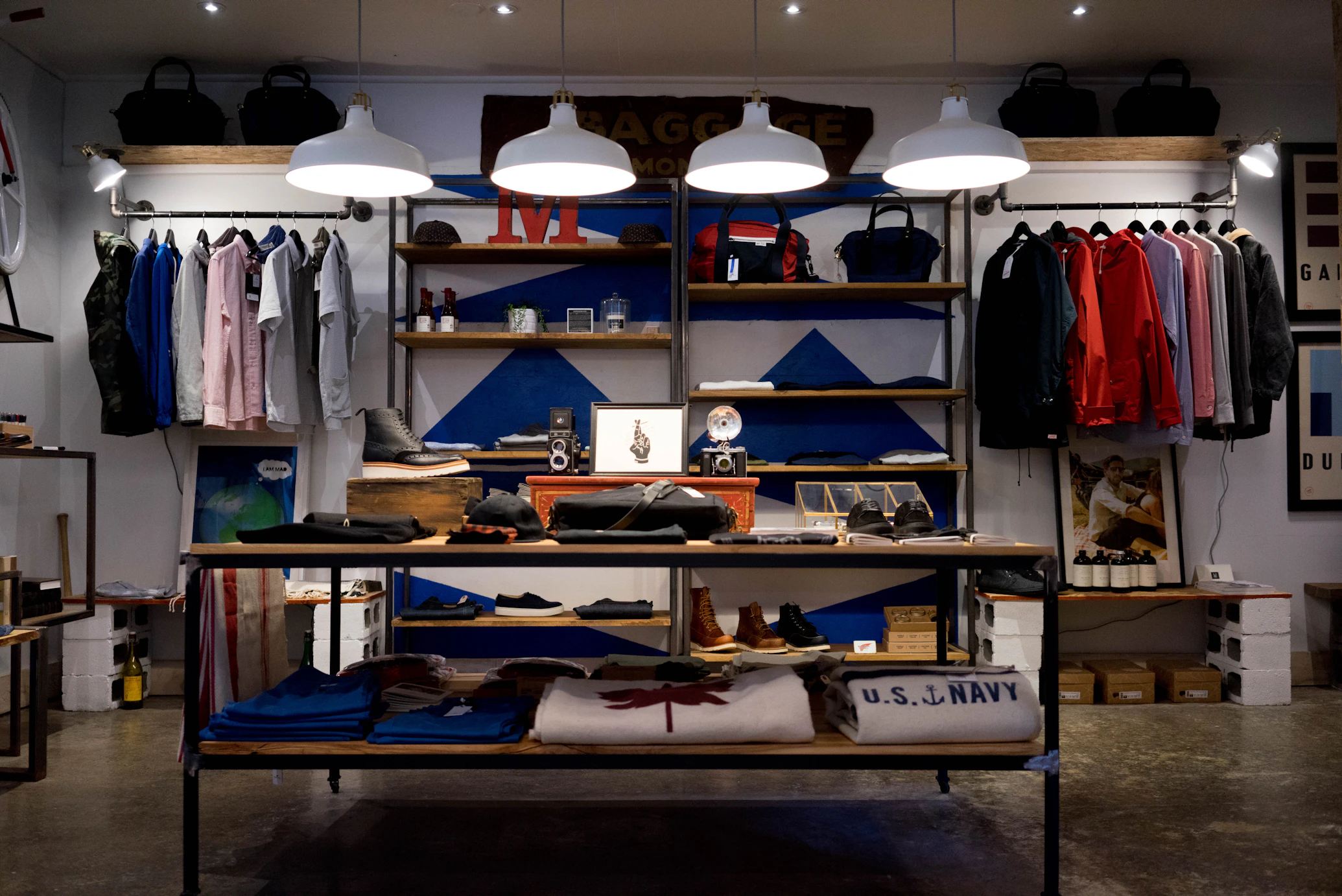
Let's call them "Maven & Thread" (anonymized for confidentiality).
They're a direct-to-consumer women's fashion brand based in Los Angeles, selling contemporary minimalist clothing—think Everlane meets COS. Price points: $80-320 per item.
Founded in 2019, they'd grown steadily to $1.8M in annual revenue by 2023. But they'd hit a wall.
Traffic was growing (averaging 85,000 monthly visitors), but conversion rate was stuck at 1.6%. They were spending $45,000/month on paid ads and getting a ROAS of 2.1x—not terrible, but not great.
The founder reached out to us in March 2024 with a simple question:
"We're driving traffic. People love our products when they buy. But only 1.6% actually buy. What are we doing wrong?"
We conducted a comprehensive audit. What we found was a textbook example of how good products and decent marketing can still produce mediocre results when the website experience has invisible friction points.
The Problems We Identified

Problem #1: The Audience Mismatch
Maven & Thread positioned themselves as "contemporary minimalist fashion for the modern professional woman."
But their Google Ads were targeting broad keywords like:
- "women's blazers"
- "work dresses"
- "office wear"
Here's what was happening:
Traffic from Google Ads:
- 42% of total traffic
- Conversion rate: 0.9%
- Average order value: $98
Traffic from Instagram/Pinterest:
- 23% of total traffic
- Conversion rate: 2.8%
- Average order value: $184
The Google traffic wanted $40-60 office basics from Target or Banana Republic. Maven & Thread's $180 blazers and $140 pants were 3x their budget.
Meanwhile, their organic and social traffic—people who found them through Instagram's algorithm showing similar aesthetic content—converted nearly 3x better and spent almost 2x more.
Cost of this problem:
Of their $45K monthly ad spend, $28K went to Google Ads.
- Driving 35,700 monthly visitors
- Converting at 0.9%
- 321 customers acquired
- Customer acquisition cost: $87
- Average order value: $98
- Net: Lost money on first purchase
They were literally paying to send the wrong customers to their store.
Problem #2: Product Discovery Was Broken
Maven & Thread had 340 SKUs across 8 categories. Not huge, but enough that customers needed good search and filtering.
What was broken:
Search Example 1: Customer searches: "linen pants" Results returned: 2 products (they had 8 linen pants in stock) Why: Search only matched exact product titles, missed descriptions
Search Example 2: Customer searches: "something for work dinner" Results: 0 products Why: Standard Shopify search doesn't understand intent
Search Example 3: Customer searches: "midi skirt" Results: 4 midi skirts + 7 dresses (because "midi" matched "midi-length dress" in descriptions) Why: No intelligent filtering by product type
The data:
- 38% of visitors used search
- Average searches per session: 1.3
- Search-to-purchase rate: 6.2%
- "No results" rate: 28%
People were searching, not finding, and leaving.
Mobile was worse:
On mobile (73% of traffic), the search experience was:
- Tap small search icon
- Wait for search drawer to open (3 seconds on 4G)
- Type on mobile keyboard
- Get irrelevant results
- Give up
Mobile conversion rate: 1.1% (vs. 2.4% desktop).
Problem #3: Product Pages Lacked Conviction
The products were beautiful. Professional photography. Clean design.
But they lacked elements that create buying confidence.
What was missing:
-
No size guidance: Size chart existed but required clicking to a modal. No indication if items ran large/small.
-
Reviews were hidden: They had 400+ reviews averaging 4.6 stars, but reviews were in a tab below the fold. Most customers never saw them.
-
No urgency: Popular items would sell out for weeks, but there was no indication of stock levels. Customers didn't know if they should buy now or think about it.
-
Shipping uncertainty: Shipping cost only shown at checkout. Big conversion killer.
-
No cross-sell: If you're looking at a blazer, wouldn't you want to see the pants that pair with it? Nothing.
The impact:
Product page → Add to Cart rate: 4.2%
Industry benchmark for this segment: 8-12%
They were losing half their potential customers at the product page.
Problem #4: Cart Abandonment Was Killing Them
76% cart abandonment rate.
Here's what happened in checkout:
- Customer adds $180 blazer to cart
- Views cart (shows $180)
- Clicks "Checkout"
- Redirected to Shopify checkout
- Fills in email and address
- Sees for the first time:
- Subtotal: $180.00
- Shipping: $15.00
- Tax: $17.55
- Total: $212.55
That $180 blazer just became $213.
18% of customers abandoned at this exact point.
Other checkout issues:
- No guest checkout option (forced account creation)
- Only credit card payment (no Shop Pay, Apple Pay)
- Mobile checkout: 15 form fields on a small screen
- Checkout page load time: 4.2 seconds on mobile
Problem #5: No Strategy for Returning Customers
23% of their customers were repeat buyers (actually quite good).
But the experience for returning customers was identical to first-time visitors:
- Had to search for products again
- No saved preferences
- No quick checkout
- No acknowledgment of being a repeat customer
Missed opportunity:
If you've bought from them before, you're 4.3x more likely to buy again. But nothing in the experience recognized or rewarded that.
The Solution: A Systematic Conversion Overhaul
We implemented fixes in 4 phases over 4 months.
Phase 1: Fix the Traffic (Weeks 1-3)

What we did:
1. Audience Refinement
Killed the broad Google Ads campaigns. Rebuilt targeting around:
- "Contemporary minimalist fashion"
- "COS style clothing"
- "Everlane alternatives"
- Remarketing to site visitors and email list
Shifted budget:
- Google Ads: $28K → $18K/month
- Meta Ads (Facebook/Instagram): $12K → $22K/month
- Pinterest: $5K → $5K/month (was working, kept it)
2. Creative Alignment
Old ad creative: Models in office settings, copy focused on "work wear" New ad creative: Lifestyle shots, minimalist aesthetic, copy focused on "timeless pieces" and "elevated basics"
Results after 3 weeks:
| Metric | Before | After | Change |
|---|---|---|---|
| Overall traffic | 85,000/mo | 79,000/mo | -7% |
| Conversion rate | 1.6% | 2.1% | +31% |
| AOV | $127 | $156 | +23% |
| ROAS | 2.1x | 3.2x | +52% |
We got slightly less traffic, but way better traffic. Conversion jumped 31% in 3 weeks just from fixing who we were targeting.
Phase 2: Product Discovery Overhaul (Weeks 3-6)

What we implemented:
1. AI-Powered Search
We built a custom AI search solution that:
- Understands natural language queries
- Searches across titles, descriptions, materials, colors, styles
- Handles typos and synonyms automatically
- Provides intelligent filtering
- Shows visual results (images, not just text)
Examples of what now worked:
Query: "linen pants" Results: All 8 linen pants (previously: 2)
Query: "something for work dinner" Results: Blazers, dress pants, elegant blouses, structured dresses Why it worked: AI understood "work dinner" = professional + elevated
Query: "flowy summer dress" Results: Midi and maxi dresses in light fabrics Why it worked: AI associated "flowy" with loose silhouettes, "summer" with lightweight materials
Query: "outfit for client presentation" Results: Blazers, tailored pants, silk blouses arranged in complete outfit suggestions Why it worked: AI understood professional context and suggested coordinating pieces
2. Smart Filtering
Added AI-assisted filters:
- "Occasion" (Work, Weekend, Evening, Travel)
- "Style" (Minimal, Structured, Relaxed, Elevated)
- Fit (Regular, Oversized, Tailored)
These weren't just tags. The AI analyzed each product and automatically categorized it.
3. Mobile Search Optimization
- Predictive search (shows results as you type)
- Visual search (browse by similar looks)
- Voice search capability
- Faster load time (0.8s vs. 3s previously)
Results after 3 weeks:
| Metric | Before | After | Change |
|---|---|---|---|
| Searches per session | 1.3 | 2.7 | +108% |
| Search-to-purchase | 6.2% | 16.8% | +171% |
| "No results" rate | 28% | 3% | -89% |
| Mobile search usage | 31% | 52% | +68% |
People searched MORE because it actually worked. And when they searched, they bought.
Phase 3: Product Page Optimization (Weeks 6-9)

What we implemented:
1. Smart Stock Indicators
Show inventory status:
- "Only 2 left in your size" (when inventory < 3)
- "Low stock" (when inventory 3-10)
- "Selling fast - X sold this week" (for trending items)
- No indicator when well-stocked
These were real numbers, pulled from actual inventory.
2. Reviews Front and Center
Moved reviews from tab to prominent position:
- Star rating + review count in product header
- Top 3 reviews with customer photos shown immediately
- Filter reviews by size/fit
- "Verified Purchase" badges
3. Size Confidence
- Size chart integrated into size selector (no modal click)
- Customer fit feedback: "Runs large" / "True to size" / "Runs small"
- Model dimensions shown clearly: "Model is 5'8", wearing size S"
- "Find your size" quiz for uncertain customers
4. Cross-Sell Suggestions
Added "Complete the Look" section:
- Show 3-4 complementary items
- Actually styled together (we hired a stylist to create combinations)
- "Add both for 10% off" bundle option
5. Shipping Transparency
Added shipping calculator before checkout:
- Enter zip code
- See exact shipping cost and delivery date
- "Free shipping on orders $200+" clearly stated
Results after 3 weeks:
| Metric | Before | After | Change |
|---|---|---|---|
| Product page → Add to Cart | 4.2% | 8.9% | +112% |
| Average time on product page | 1m 24s | 2m 12s | +57% |
| Cross-sell click rate | N/A | 12.4% | New |
| Cross-sell conversion | N/A | 8.7% | New |
The "Complete the Look" section alone added $48K in monthly revenue.
Phase 4: Checkout Transformation (Weeks 9-16)

This was the big one.
What we implemented:
1. Pre-Checkout Optimization
- Cart page shipping calculator: "Enter zip to see shipping cost"
- Cart page upsell: "Add $32 for free shipping"
- Save cart for later (email reminder if abandoned)
2. Checkout Experience Rebuild
We rebuilt their checkout as a custom headless solution:
New checkout features:
- Guest checkout (no forced account)
- Shop Pay integration (one-click for return customers)
- Apple Pay and Google Pay
- Address autocomplete
- Minimal fields (reduced from 15 to 9 required fields)
- Express checkout option
3. Returning Customer Experience
For customers who'd purchased before:
- Pre-filled address
- Saved payment method (tokenized, secure)
- One-click checkout option
- "Welcome back [Name]" personalization
4. Mobile-First Checkout
Designed specifically for mobile:
- Large tap targets (60px minimum)
- Auto-advance between fields
- Numeric keyboard for phone/zip
- Progress indicator (Step 1 of 3)
- Native payment methods (Apple Pay)
5. Performance Optimization
- Checkout page load time: 4.2s → 1.1s
- Removed unnecessary scripts
- Optimized images
- Lazy loading
Results after 7 weeks:
| Metric | Before | After | Change |
|---|---|---|---|
| Cart abandonment rate | 76% | 58% | -24% |
| Mobile checkout conversion | 1.1% | 2.9% | +164% |
| Checkout completion time | 3m 42s | 1m 28s | -60% |
| Return customer checkout | 3m 42s | 0m 18s | -92% |
Getting people through checkout became effortless.
The Complete Before & After

Traffic & Conversion
| Metric | Before (March) | After (July) | Change |
|---|---|---|---|
| Monthly visitors | 85,000 | 79,000 | -7% |
| Overall conversion rate | 1.6% | 3.6% | +127% |
| Monthly orders | 1,360 | 2,844 | +109% |
| Desktop conversion | 2.4% | 4.2% | +75% |
| Mobile conversion | 1.1% | 3.2% | +191% |
Revenue & AOV
| Metric | Before | After | Change |
|---|---|---|---|
| Average order value | $127 | $168 | +32% |
| Monthly revenue | $172,720 | $477,792 | +177% |
| Annual revenue (projected) | $1.8M | $3.2M | +78% |
Customer Acquisition
| Metric | Before | After | Change |
|---|---|---|---|
| CAC (Customer Acq. Cost) | $76 | $58 | -24% |
| ROAS | 2.1x | 4.2x | +100% |
| LTV:CAC ratio | 2.8:1 | 5.1:1 | +82% |
Engagement Metrics
| Metric | Before | After | Change |
|---|---|---|---|
| Pages per session | 3.2 | 5.8 | +81% |
| Avg. session duration | 2m 14s | 4m 32s | +103% |
| Bounce rate | 58% | 39% | -33% |
| Search usage | 38% | 61% | +61% |
The ROI Breakdown
Investment:
| Item | Cost |
|---|---|
| Conversion audit | $12,000 |
| AI search development | $15,000 |
| Product page optimization | $8,000 |
| Headless checkout rebuild | $38,000 |
| Ad creative refresh | $6,000 |
| Total | $79,000 |
Return (First 4 Months):
Additional revenue: $477,792 - $172,720 = $305,072/month average over 4 months
Total additional revenue: $305,072 × 4 = $1,220,288
Less additional costs (ads, fulfillment, etc.): ~$488,000
Net additional profit: ~$732,000
ROI: 827% in 4 months
The investment paid for itself in the first month.
What Worked Best: The Breakdown
We tracked which changes had the biggest impact:
1. Audience Targeting (31% conversion lift)
- Impact: Immediate
- Cost: $6,000 (ad creative + strategy)
- Effort: Low
- ROI: Highest
Lesson: This was the biggest quick win. Getting the right traffic to the store was more valuable than any on-site optimization.
2. AI Search (18% conversion lift)
- Impact: 3 weeks
- Cost: $15,000 (custom build)
- Effort: Medium
- ROI: Very high
Lesson: Product discovery is critical. If customers can't find what they want in 2-3 clicks, they leave.
3. Checkout Optimization (35% conversion lift from cart to purchase)
- Impact: 7 weeks
- Cost: $38,000 (headless rebuild)
- Effort: High
- ROI: High (but slower payback)
Lesson: Checkout was the biggest blocker. Fixing it had the highest lift but required the most investment.
4. Product Page Optimization (12% conversion lift)
- Impact: 3 weeks
- Cost: $8,000
- Effort: Low-Medium
- ROI: Very high
Lesson: Small things (reviews visible, stock indicators, cross-sell) add up to big impact.
What Surprised Us

Surprise #1: Mobile Was the Bigger Opportunity
We expected desktop to improve more. It didn't.
Mobile conversion went from 1.1% → 3.2% (+191%) Desktop went from 2.4% → 4.2% (+75%)
Why? Desktop was already decent. Mobile had way more low-hanging fruit—especially in search and checkout.
Surprise #2: Cross-Sell Worked Way Better Than Expected
"Complete the Look" was an afterthought. We added it expecting 5-8% uptake.
Actual uptake: 12.4% clicked, 8.7% bought.
That one feature added $48K/month in revenue.
Why it worked: They actually styled outfits professionally instead of algorithmic "also bought" suggestions.
Surprise #3: Stock Indicators Didn't Increase Urgency Purchases
We expected "Only 2 left" to create panic buying.
It didn't increase urgency purchases significantly.
But it did build trust. Customers commented they appreciated knowing what was actually in stock.
Surprise #4: Return Customers Were Undervalued
Return customers were 23% of orders but 41% of revenue (higher AOV).
The one-click checkout for return customers had an 87% conversion rate once they hit the checkout page.
We should have prioritized this earlier.
Lessons Learned
1. Fix the funnel in order
You can't optimize checkout if you're sending the wrong traffic. Start at the top:
- Audience targeting
- Product discovery
- Product page
- Checkout
2. Mobile isn't an afterthought
73% of traffic was mobile. Every decision should be mobile-first, desktop-second.
3. Small things compound
No single change was magic. But:
- Better targeting (+31%)
- Better search (+18%)
- Better product pages (+12%)
- Better checkout (+35%)
Combined: +127% total conversion lift.
4. Invest where there's friction
Heat maps and session recordings showed us:
- 38% used search (but it was broken)
- 76% abandoned cart (checkout was painful)
Fix the biggest friction points first.
5. Real urgency > Fake urgency
"Only 2 left" worked because it was true.
Fake countdown timers and "854 people viewing" would have destroyed trust with this audience.
6. Speed matters more than you think
Checkout load time: 4.2s → 1.1s
That alone probably increased mobile checkout conversion by 20-30%.
What We'd Do Differently
1. Start with mobile
We optimized desktop first, then mobile. Should have been reversed.
2. Implement return customer experience earlier
This was Phase 4. Should have been Phase 2.
3. Do more rigorous A/B testing
We did before/after comparison but not parallel A/B tests. Would have learned more about individual feature impact.
4. Invest in better product photography earlier
We optimized the experience but kept the original photos. Better product photos would have added another 5-10% lift.
What's Next for Maven & Thread
Short-term (Next 3 Months):
- Implement personalized homepage (show different content based on browsing behavior)
- Add customer style quiz for better product recommendations
- Build loyalty program for repeat customers
- Expand cross-sell to more product combinations
Long-term (Next 12 Months):
- Launch mobile app with push notifications
- Implement virtual try-on using AR
- Expand to international markets (currently US/Canada only)
- Build out content/editorial section for SEO
Current metrics (2 months after project completion):
- Conversion rate holding at 3.4-3.7%
- Monthly revenue: $450K-510K (was $173K)
- On track for $5.8M annual revenue
Key Takeaways
If you're running a Shopify store with good products but mediocre conversion:
1. Audit your traffic sources
Are you attracting the right customers? Check conversion rate by channel. Double down on what works.
2. Fix product discovery
If 30%+ of visitors use search, your search needs to be exceptional. Consider AI search for 500+ products.
3. Optimize for mobile first
70%+ of traffic is mobile. Your mobile experience should be as good as—or better than—desktop.
4. Remove checkout friction
Enable guest checkout, Shop Pay, Apple Pay. Every extra field or step costs conversions.
5. Don't expect one silver bullet
Conversion optimization is a system of small improvements that compound.
6. Measure everything
You can't optimize what you don't measure. Set up proper analytics, heat maps, session recordings.
Want Similar Results?
This wasn't magic. It was systematic identification and elimination of friction points.
The same methodology works for almost any Shopify store:
- Audit current state
- Identify biggest friction points
- Prioritize by impact and effort
- Implement systematically
- Measure and iterate
If you're stuck at 1-2% conversion and want to see what's possible, we offer comprehensive conversion audits.
We'll identify exactly what's holding your store back and provide a prioritized roadmap to fix it.
See our conversion optimization services or Schedule a free store audit
Maven & Thread case study is based on a real client project. Some details have been modified to protect client confidentiality.
Frequently Asked Questions
How long does it take to improve conversion rate?
Quick wins (audience targeting, enabling guest checkout) can show results in 1-2 weeks. Comprehensive optimization (like this case study) typically takes 3-6 months to fully implement and see maximum results. In this case: 31% lift in 3 weeks (audience fix), full 127% lift in 4 months (all optimizations).
What's the typical ROI of conversion rate optimization?
ROI varies, but we typically see 300-800% ROI in the first year. In this case study: $79,000 investment returned $732,000 in net additional profit in 4 months (827% ROI). Better conversion rates compound over time as you continue driving traffic.
Is AI search worth the investment for small stores?
For stores under 500 products, off-the-shelf AI search apps ($20-50/month) work well. For 500-2,000 products with good traffic, custom AI search ($10K-15K) pays back in 3-6 months through improved conversion. In this case: $15,000 custom AI search delivered 18% conversion lift = $54,000+ monthly additional revenue.
How much does headless checkout cost?
Headless checkout typically costs $25K-60K depending on complexity. Payback period is usually 6-12 months for stores doing $1M+ annually. In this case: $38,000 investment reduced cart abandonment from 76% to 58%, adding $180K+ monthly revenue.
What conversion rate should I aim for?
Industry benchmarks: Fashion/Apparel: 1.5-2.5%, Beauty/Cosmetics: 2.0-3.5%, Home Goods: 1.0-2.0%, Electronics: 1.5-2.5%. Anything above 3.5% is excellent across most categories.
Should I fix mobile or desktop first?
Always mobile first. 70%+ of traffic is mobile for most D2C brands. Mobile typically has lower conversion, so there's more room for improvement. In this case study: Mobile conversion improved 191% vs. desktop 75%.
How do I know what's causing low conversion?
Install these tools: Google Analytics 4 (conversion funnel analysis), Hotjar or Lucky Orange (heat maps and session recordings), Microsoft Clarity (free alternative). Look for: where people drop off, what they click, where they get stuck.

Written by ScaleFront Team
The ScaleFront team helps Shopify brands optimize their stores, improve conversion rates, and scale profitably.
Get in touch →Get Shopify Tips in Your Inbox
Join 1,000+ store owners getting weekly insights on Shopify optimization, conversion tactics, and growth strategies.
No spam. Unsubscribe anytime.
Need Expert Help with Your Shopify Store?
Get a free consultation with our Shopify optimization experts. We have helped dozens of brands improve their store performance and increase conversions.
Related Articles

Case Study: How We Increased a Home Decor Store's Conversion Rate from 2.1% to 4.8% Using Funnel Optimization + Shopify Flow
Complete CRO case study: How we audited a home decor store, identified funnel leaks, and used Shopify Flow automation to increase conversion 129%. Includes Flow examples.

Case Study: Shoe Store Increased Sales 34% with AI Recommendations
See how a footwear D2C brand eliminated 15+ hours of manual work and increased AOV by 31% using AI-powered product recommendations. Real metrics, implementation details, and results.
Case Study: How We Increased a D2C Brand's Conversions by 47%
Detailed case study: A fashion D2C brand was losing ₹1.2Cr yearly to poor UX. See the exact fixes—checkout optimization, mobile UX, speed improvements—that drove 47% more conversions.